SSI - Digital encoder input

The SSI block instantiates a Synchronous Serial Interface (SSI) master to communicate with SSI-compatible digital encoders and similar digital sensors, typically in motor drive applications.

This block is only compatible with the B-Box4, which provides two RS-485-based serial ports (SERIAL A and SERIAL B). Both ports can interface with sensors using three widely adopted communication protocols: SSI (this page), BiSS-C and EnDat2.2.

Along with the single-turn position, this block supports the reception of a multi-turn counter and follows the common assumption that the single-turn and multi-turn values are placed side by side in the frame received from the sensor, as illustrated below.

SSI frame with multi-turn and single-turn data side by side, as assumed by the SSI block.

As the SSI protocol does not define separate versions, this driver is compatible with any sensor that uses binary-encoded SSI. Gray encoding is currently not supported.

SSI protocol in a nutshell

The SSI protocol is a master-slave serial interface standard created by Max Stegmann GmbH in 1984. Nowadays, it is widely used in industrial applications. Designed for a single master and a single slave, the SSI protocol creates a direct, point-to-point communication link.

The interface is composed of two unidirectional signals, CLOCK (driven by the master) and DATA (driven by the slave), regardless of the resolution (i.e., number of bits per revolution) of the sensor. Differential signaling improves the noise immunity and allows for longer cable runs, making it suitable for industrial environments.

The transmission of a frame starts when the controller (master) starts the CLOCK. Then, the sensor (slave) sends back the data – usually the encoder position – bit by bit on DATA, synchronously with the CLOCK. The transmission ends by the time-out (DATA signal maintained to LOW by the slave) and the pause (mandatory idle state before the next transmission starts).

Strengths and limitations

The SSI protocol is valued for its simple and robust design. With only two differential digital lines, it can be easily integrated and performs reliably even in electrically noisy environments. The synchronous data transfer provides accurate, low-latency position feedback, making it well suited for real-time control.

On the downside, SSI is a one-way protocol with no automatic configuration or diagnostic capability. The master must know the frame structure of the sensor, and the maximum cable length decreases as the clock frequency increases.

Simulink block

Signal specification

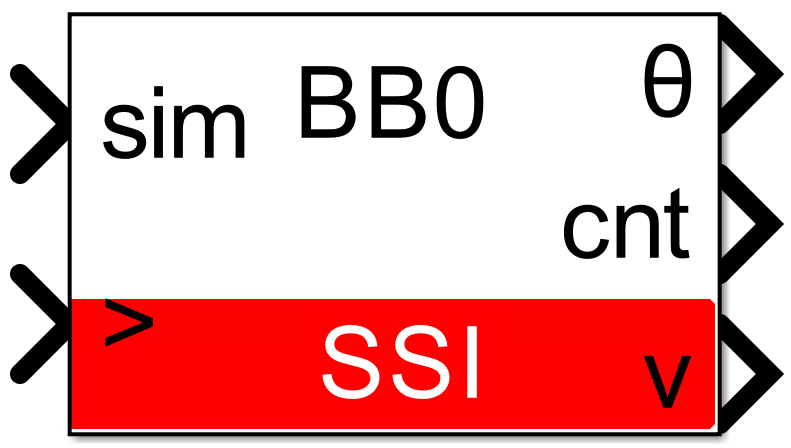
  • The θ output is the single-turn position, in radians, in [0, 2π].
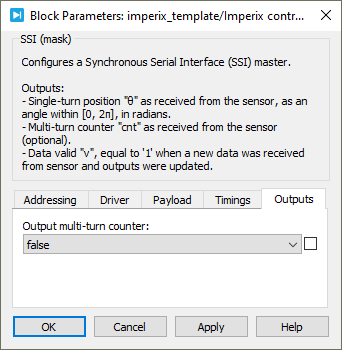
  • The cnt output is the multi-turn counter, as received from the sensor. This port is hidden by default but it can be shown using the Output multi-turn counter checkbox.
  • The v output is the data valid signal, set to 1 each time a new data are available.
  • The sim input is a 2-dimensional vector used in simulation and represents the angle value (in radians) and multi-turn counter (-) computed by the simulation plant model.
  • The > input signal needs to be connected to the sampling clock generated by the CONFIG block.
Parameters

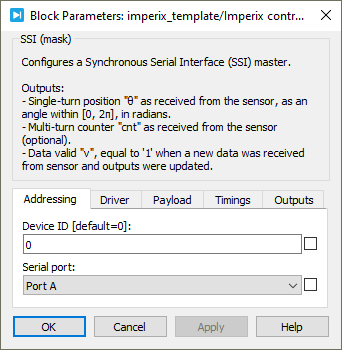
  • Device ID selects which device to address when used in a multi-device configuration.
  • Serial port selects the serial port.
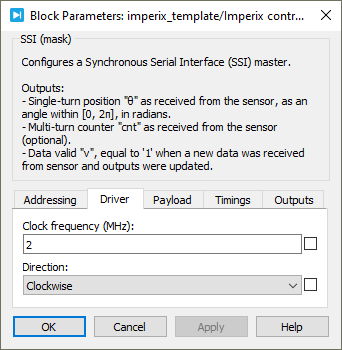
  • Clock frequency specifies the transmission clock frequency for the SSI communication, in MHz. The clock frequency cannot exceed 2 MHz, as defined by the SSI standard.
  • Direction specifies the direction as clockwise or counterclockwise. When counterclockwise is selected, the output angle θ is 2π-θ’, where θ’ is the angle received from the sensor.
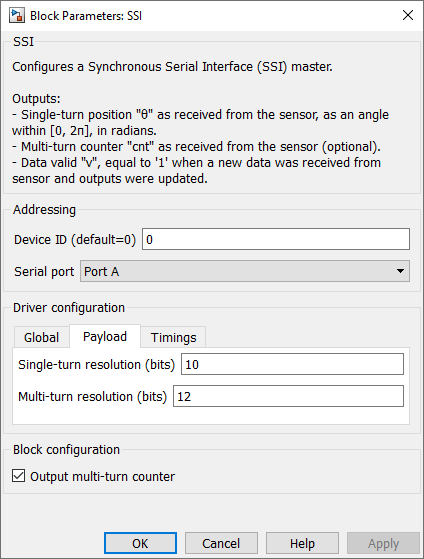
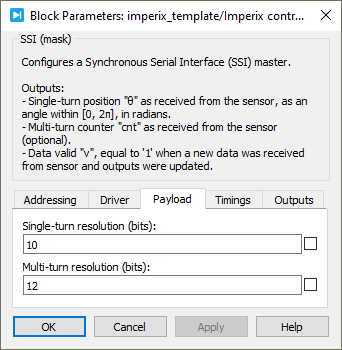
  • Single-turn resolution specifies the resolution (i.e., number of bits) for the single-turn position. The single-turn resolution cannot exceed 32 bits.
  • Multi-turn resolution specifies the resolution (i.e., number of bits) for the multi-turn counter. The multi-turn resolution cannot exceed 32 bits.
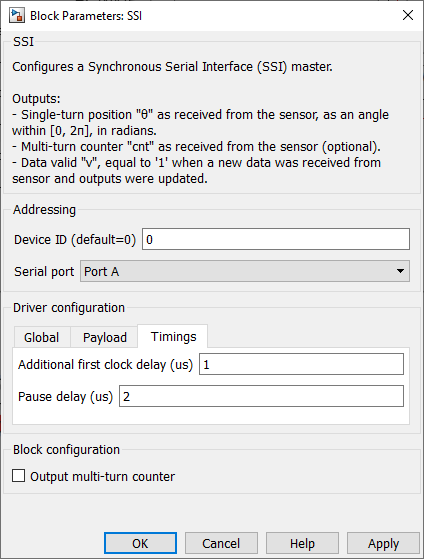
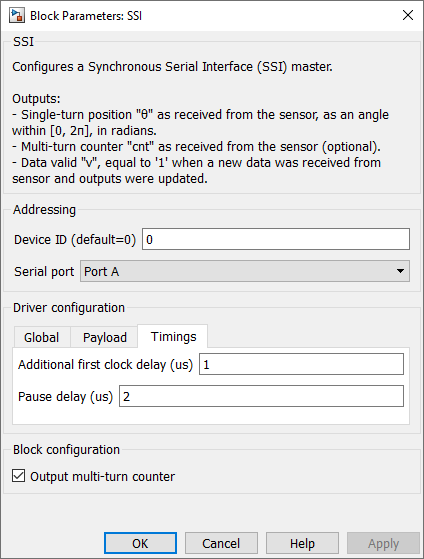
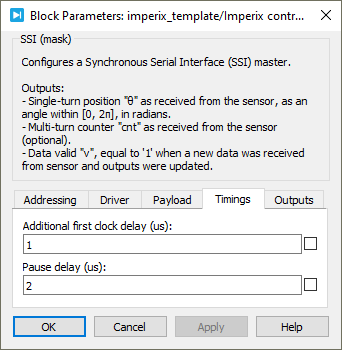
  • Additional first clock delay specifies the delay, in us, added to the first half clock period.
  • Pause delay specifies the duration, in us, of the recovery time after each transmission.
  • Output multi-turn counter shows or hides the multi-turn counter output cnt.

PLECS block

Signal specification

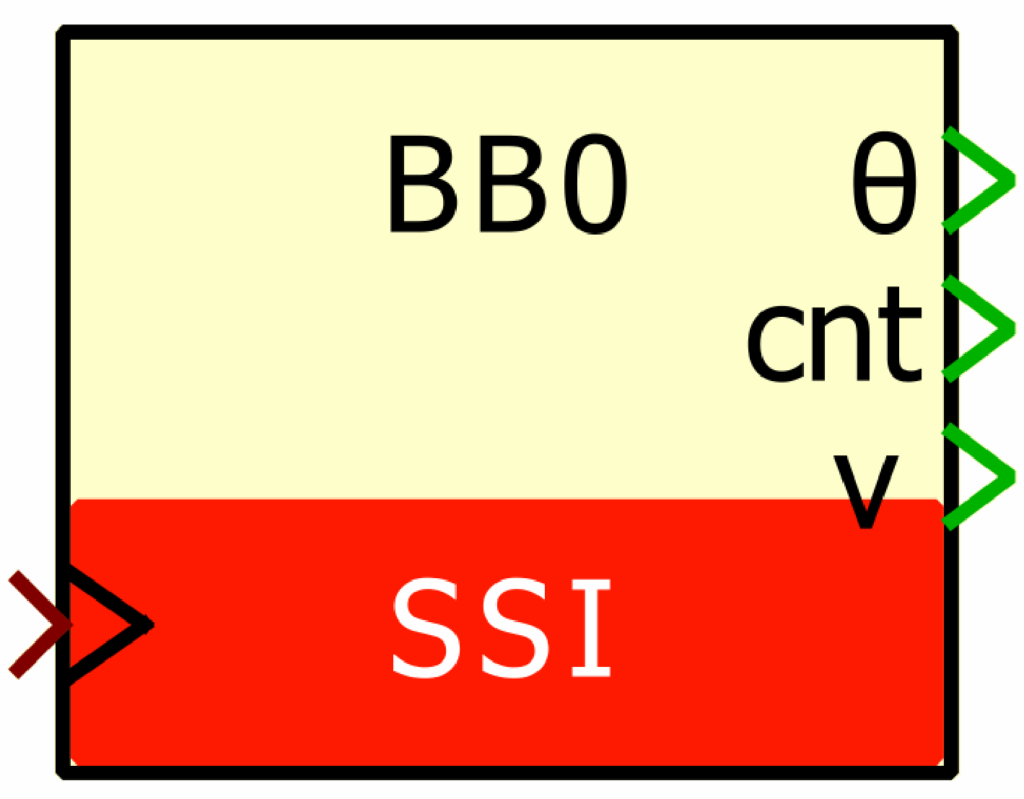
  • The θ output is the single-turn position, in radians, in [0, 2π].
  • The cnt output is the multi-turn counter, as received from the sensor. This port is hidden by default but it can be shown using the Output multi-turn counter checkbox.
  • The v output is the data valid signal, set to 1 each time a new data are available.
  • The sim input is a 2-dimensional vector used in simulation and represents the angle value (in radians) and multi-turn counter (-) computed by the simulation plant model. This input is visible in the parent level.
  • The > input signal needs to be connected to the sampling clock generated by the CONFIG block.
Parameters

  • Device ID selects which device to address when used in a multi-device configuration.
  • Serial port selects the serial port.
  • Clock frequency specifies the transmission clock frequency for the SSI communication, in MHz. The clock frequency cannot exceed 2 MHz, as defined by the SSI standard.
  • Direction specifies the direction as clockwise or counterclockwise. When counterclockwise is selected, the output angle θ is 2π-θ’, where θ’ is the angle received from the sensor.
  • Single-turn resolution specifies the resolution (i.e., number of bits) for the single-turn position. The single-turn resolution cannot exceed 32 bits.
  • Multi-turn resolution specifies the resolution (i.e., number of bits) for the multi-turn counter. The multi-turn resolution cannot exceed 32 bits.
  • Additional first clock delay specifies the delay, in us, added to the first half clock period.
  • Pause delay specifies the duration, in us, of the recovery time after each transmission.
  • Output multi-turn counter shows or hides the multi-turn counter output cnt.

C++ functions

void Ssi_Init(unsigned int port, unsigned int device);Code language: C++ (cpp)

This function initializes the serial port port of the device device for the SSI communication protocol.

It has to be called in UserInit().

TPI Rev. F: Only serial port A is available.

Parameters

  • port: Serial port, 0 (port A) or 1 (port B)
  • device: imperix device to address in a multi-device configuration (default: 0)
void Ssi_ConfigureClkFrequency(float clk_frequency, unsigned int port, unsigned int device);Code language: C++ (cpp)

This function configures the frequency of the transmission clock for the SSI communication on the serial port port of the device device, in MHz. The clock frequency cannot exceed 2 MHz, as defined by the SSI standard.

It has to be called in UserInit().

TPI Rev. F: Only serial port A is available.

Parameters

  • clk_frequency: transmission clock frequency, in MHz
  • port: serial port, 0 (port A) or 1 (port B)
  • device: imperix device to address in a multi-device configuration (default: 0)
void Ssi_ConfigureDirection(tRs485Direction direction, unsigned int port, unsigned int device);Code language: C++ (cpp)

This function configures the direction for the SSI communication on the serial port port of the device device, as clockwise or counterclockwise. When counterclockwise is selected, the output angle θ is 2π-θ’, where θ’ is the angle received from the sensor.

It has to be called in UserInit().

TPI Rev. F: Only serial port A is available.

Parameters

  • direction: direction (RS485_CW or RS485_CCW)
  • port: serial port, 0 (port A) or 1 (port B)
  • device: imperix device to address in a multi-device configuration (default: 0)
void Ssi_ConfigurePayload(unsigned short n_bit_before, unsigned short n_bit_multiturn, unsigned short n_bit_singleturn, unsigned short n_bit_after, unsigned int port, unsigned int device);Code language: C++ (cpp)

This function configures the expected structure of the frame received from the sensor. The function is based on the common assumption that the single-turn and multi-turn values are placed side by side in the frame received from the sensor.

The single-turn and multi-turn resolutions cannot exceed 32 bits each, and the total payload length cannot exceed 64 bits (i.e., n_bit_before + n_bit_multiturn + n_bit_singleturn + n_bit_after ≤ 64).

The sensor sometimes add a first bit before the payload, meaning that n_bit_before might be 1. In general, n_bit_after might be 0.

As an example, the function call for a E36CM-SSI-1211-1012 (Hohner) is Ssi_ConfigurePayload(1, 12, 10, 0, <port>, <device>).

It has to be called in UserInit().

TPI Rev. F: Only serial port A is available.

Parameters

  • n_bit_before: number of bits before the multi-turn value in the frame received from the sensor
  • n_bit_multiturn: multi-turn resolution, i.e. number of bits composing the multi-turn value in the frame received from the sensor
  • n_bit_singleturn: single-turn resolution, i.e. number of bits composing the single-turn value in the frame received from the sensor
  • n_bit_after: number of bits after the single-turn value in the frame received from the sensor
  • port: serial port, 0 (port A) or 1 (port B)
  • device: imperix device to address in a multi-device configuration (default: 0)
void Ssi_ConfigureAdditionalFirstClockDelay(float delay, unsigned int port, unsigned int device);Code language: C++ (cpp)

This function configures delay, in us, to be added to the first half clock period sent by the master to the slave when starting a new transmission. The specified delay must comply with the sensor’s specifications.

It has to be called in UserInit().

TPI Rev. F: Only serial port A is available.

Parameters

  • delay: delay added to the first half clock period, in us
  • port: serial port, 0 (port A) or 1 (port B)
  • device: imperix device to address in a multi-device configuration (default: 0)
void Ssi_ConfigurePauseDelay(float delay, unsigned int port, unsigned int device);Code language: C++ (cpp)

This function configures the duration, in us, of the recovery time after each transmission, as defined by the SSI standard. The specified delay must comply with the sensor’s specifications.

It has to be called in UserInit().

TPI Rev. F: Only serial port A is available.

Parameters

  • delay: recovery time after each transmission, in us
  • port: serial port, 0 (port A) or 1 (port B)
  • device: imperix device to address in a multi-device configuration (default: 0)
void Ssi_ReadFrame(unsigned int port, unsigned int device);Code language: C++ (cpp)

This function triggers the CPU to read and interpret the last frame received from the sensor.

It must be called in the control interrupt routine.

TPI Rev. F: Only serial port A is available.

Parameters

  • port: serial port, 0 (port A) or 1 (port B)
  • device: imperix device to address in a multi-device configuration (default: 0)
float Ssi_GetPosition(unsigned int port, unsigned int device);Code language: C++ (cpp)

This function returns the single-turn position received from the sensor as an angle, in radians, in [0, 2π].

It must be called in the control interrupt routine, after Ssi_ReadFrame.

TPI Rev. F: Only serial port A is available.

Parameters

  • port: serial port, 0 (port A) or 1 (port B)
  • device: imperix device to address in a multi-device configuration (default: 0)
unsigned int Ssi_GetMultiturnCounter(unsigned int port, unsigned int device);Code language: C++ (cpp)

This function returns the multi-turn counter received from the sensor.

It must be called in the control interrupt routine, after Ssi_ReadFrame.

TPI Rev. F: Only serial port A is available.

Parameters

  • port: serial port, 0 (port A) or 1 (port B)
  • device: imperix device to address in a multi-device configuration (default: 0)
unsigned int Ssi_GetDataValid(unsigned int port, unsigned int device);Code language: C++ (cpp)

This function returns the data valid flag indicating if a new data was received from the sensor. The flag being ‘1’ means that the outputs of Ssi_GetPosition and Ssi_GetMultiturnCounter were updated since last interruption. If the flag is ‘0’, the outputs were not updated and have the same value.

It must be called in the control interrupt routine, after Ssi_ReadFrame.

TPI Rev. F: Only serial port A is available.

Parameters

  • port: serial port, 0 (port A) or 1 (port B)
  • device: imperix device to address in a multi-device configuration (default: 0)
void Ssi_ErrorCheck(unsigned int port, unsigned int device);Code language: C++ (cpp)

This function checks the communication status and raises warnings in case of communication error(s).

It must be called in the control interrupt routine.

TPI Rev. F: Only serial port A is available.

Parameters

  • port: serial port, 0 (port A) or 1 (port B)
  • device: imperix device to address in a multi-device configuration (default: 0)