
In a standard configuration, the control algorithm executes immediately following each sampling event. The SCLK multiplier modifies this behavior by allowing multiple sampling events to occur within a single control cycle. This note explains how to configure the sampling events and how to retrieve the extra values.
To achieve a sampling frequency higher than the CPU execution frequency, the recommended method is to increase FCLK0 and utilize the postscaler rather than relying on the SCLK multiplier.
Configuring the SCLK multiplier
When using the ACG SDK, the sampling events are configured from the CONFIG block by setting a SCLK multiplier factor. This spreads equidistant sampling events among the control period, starting from the main interrupt phase.
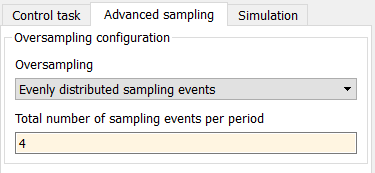
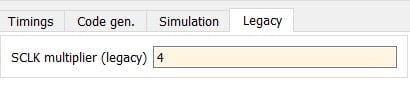
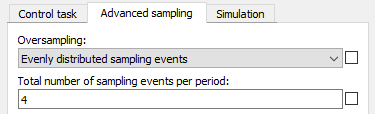

The Timings tab in Cockpit displays where the ADC sampling events are taking place. This permits to visualize and validate the implemented configuration.
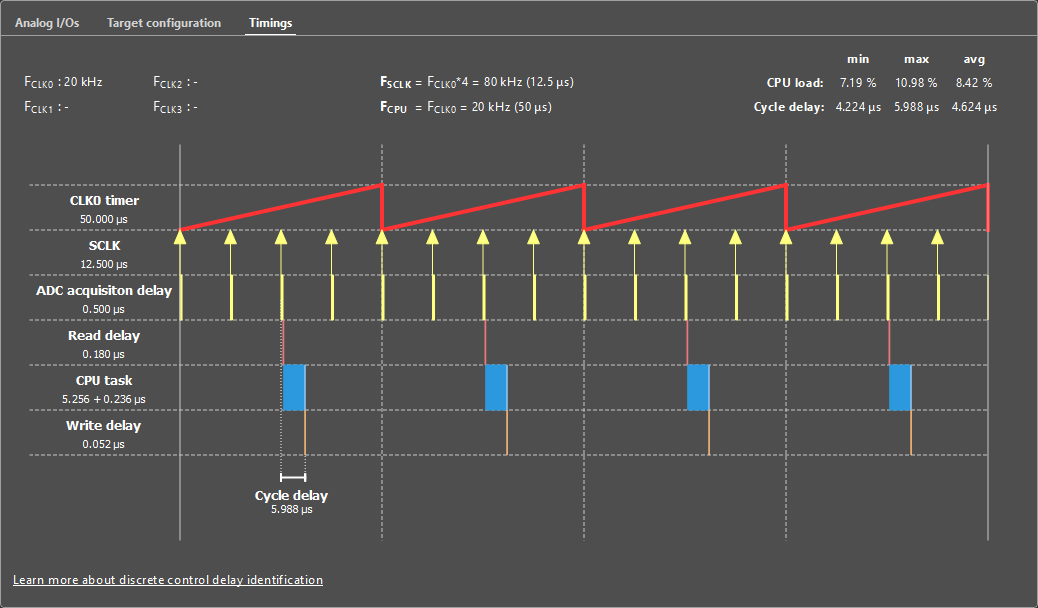
When using the CPP SDK, void Adc_ConfigureSclkMultiplier(int multiplier) must be used in the UserInit(void) function.
tUserSafe UserInit(void) {
  // Sets CLOCK_0 at 50 kHz
  Clock_SetFrequency(CLOCK_0, 50e3);

  // Set the SCLK multiplier to 4 (sampling = 200 kHz)
  Adc_ConfigureSclkMultiplier(4);

  ConfigureMainInterrupt(UserInterrupt, CLOCK_0, 0.5);

  // some other code...

  return SAFE;
}Code language: C++ (cpp)
Retrieving multiple ADC samples at once
By default, the ADC block or driver only provides the last sampled value. To retrieve multiple values at once, notably when an SCLK multiplier or CPU postscaler is used, the ADC history must be used. This can be configured from the ADC block, ticking the “multiple samples per period” option and configuring how many samples are desired. The ADC block then returns a vector containing the values as shown below. The sample with index 1 is the most recent sample.
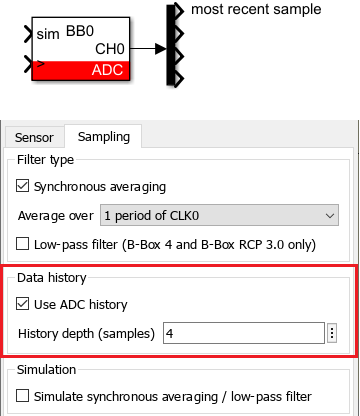
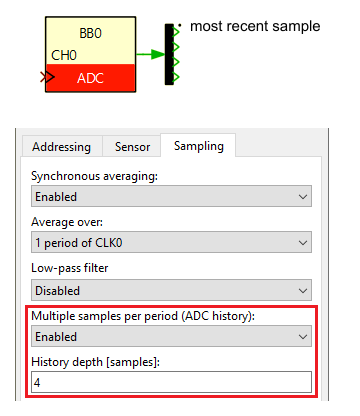
CPP SDK users may use the Adc_ConfigureHistory and Adc_GetHistory function as illustrated in the code snippet below.
tUserSafe UserInit(void) {
  // Sets CLOCK_0 at 50 kHz
  Clock_SetFrequency(CLOCK_0, 50e3);

  // Set the SCLK multiplier to 4 (sampling = 200 kHz)
  Adc_ConfigureSclkMultiplier(4);

  ConfigureMainInterrupt(UserInterrupt, CLOCK_0, 0.5);

  // Setup a history of 4 samples for ADC0
  Adc_ConfigureHistory(ADC0, 4);

  // some other code...

  return SAFE
}

tUserSafe UserInit(void) {

  float s0, s1, s2, s3;

  s0 = Adc_GetHistory(ADC0, 0); // most recent sample
  s1 = Adc_GetHistory(ADC0, 1);
  s2 = Adc_GetHistory(ADC0, 2);
  s3 = Adc_GetHistory(ADC0, 3);

  return SAFE;
}Code language: C++ (cpp)
 By Benoît Steinmann • April 2, 2021 • SD003
 By Stéphane Lovejoy • April 12, 2022 • PN300
 By Julien Orsinger • March 29, 2021 • PN142