
Table of Contents
The “Read from file” function allows applying dataset profiles from the controller’s non-volatile memory into user code during runtime. This mechanism is available in the Simulink and PLECS blocksets or in the related C/C++ routines.
Applying pre-recorded profiles, regardless of size, is typically useful for executing standardized test suites (e.g., WLTP). This provides an attractive alternative to Simulink’s native option by avoiding the direct embedding of the profile dataset in the compiled user code.
To perform the inverse operation, i.e., long-term data logging, the “Write to file” function should be used instead. This is documented in SD040.
Principles of operation
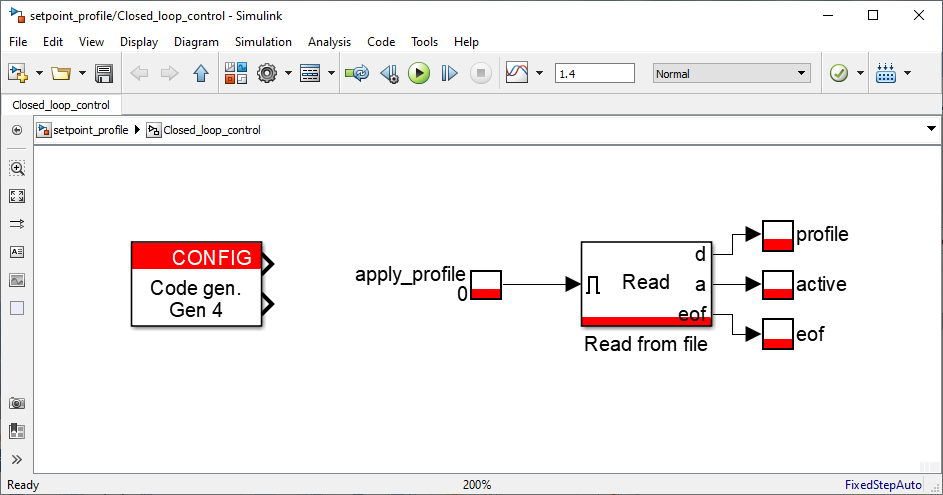
During offline simulation, the “Read from file” function reads a selected dataset profile from the host computer and makes the data available through the output d. In code generation mode, Cockpit automatically transfers the dataset to the controller’s non-volatile memory (SSD or eMMC memory) before starting the code. As such, the controller reads data from its local storage at runtime.
The read process can be started by setting the enable input to 1. Reciprocally, it can be stopped by setting this input to 0.
When the dataset reaches its end during the read process, the eof output flag is set to 1.
Finally, the a output is set to 1 when the block is active and outputting data. If the enable input is set to 1, but the “Read from file” function has either reached the end of file or met a bandwidth constraint, the active output flag is set to 0.
Sample time
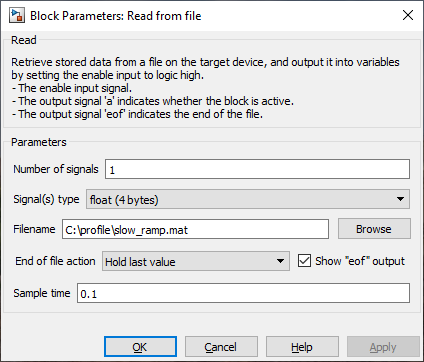
The read action takes place at a configurable rate, namely:
- Data is read from disk at the control rate: Sample time is configured as
CTRLPERIOD. - Data is read at a different rate: A specific sample time is configured.
For more details on multirate configurations, see the PN145 for Simulink or PN155 for PLECS.
Hardware resources and constraints
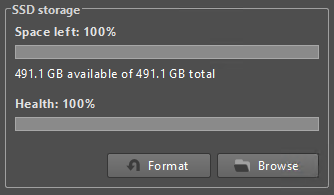
Since the dataset profile is uploaded to the target’s internal non-volatile memory prior to user code execution, sufficient storage space is required. The available storage space can be seen from the Target Configuration view in Cockpit (see File management section).
Once enabled, the “Read from file” operation runs continuously unless the required data throughput exceeds the maximum achievable read bandwidth.
Bandwidth constraint
The total required bandwidth is a function of the number of instances, the signal count, the data type size, and the execution frequency. This must be lower than the controller’s maximum achievable bandwidth. As the bandwidth is shared among other system resources (e.g., CAN, UDP), using them simultaneously may limit the achievable throughput.
$$\text{Bandwidth} = \text{Signals} \times \text{Size of Data Type (Bytes)} \times \text{Sample Rate (Hz)}$$
Consider, for example, two concurrent “Read from file” instances, each configured with 3 signals, a float data type (4 bytes), and a sample rate of 100 kHz. If both instances read data at the exact same time, each requires 1.2 MB/s, resulting in a combined demand of 2.4 MB/s. This cumulative demand exceeds the maximum allowable bandwidth for Gen 3 devices, resulting in an immediate halt to the read procedure.
The table below summarizes the storage resources available on each imperix controller:
| Param. | B-Box 4 | B-Box 3 | B-Box micro | B-Board 3 |
|---|---|---|---|---|
| Memory type | SSD | eMMC | eMMC | eMMC |
| Capacity1 | 500 GB | 8 GB | 8 GB | 8 GB |
| Max. achievable bandwidth | 2 MB/s | 512 KB/s | 512 KB/s | 512 KB/s |
File format
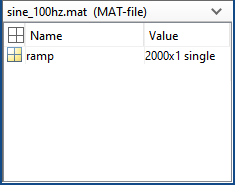
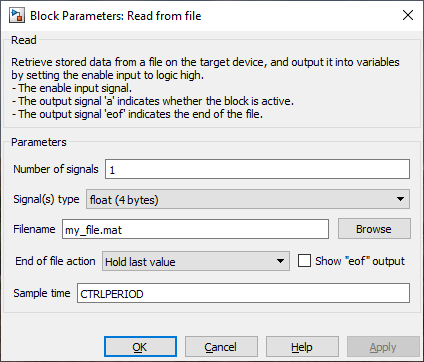
The “Read from file” function expects a column-oriented MAT-file format, where each signal must be assigned to its own dedicated column. The number of columns determines the Number of signals, and the data type defines the Signal(s) type of the output signals.
Parameters
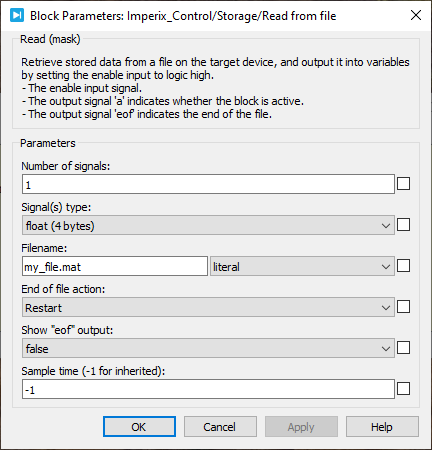
- Number of signals: sets the total number of signals contained within the specified MAT-file.
- Signal(s) type: selects the data type of the signals to be read from the MAT-file (float/single, int32, uint32, and double). The selected type must strictly match the actual data type of the data stored within the MAT-file.
- Filename: sets the local path to the target MAT-file (which is automatically uploaded to the target prior to user code execution).
- End of file action: selects the behavior when the file reaches its end.
- Hold the last value
- Restart
- Sample time: sets the execution sample time of the block, allowing configuration of a specific decimation rate for its execution.
Simulink block
Signal specification
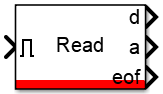
- The enable input signal initiates the MAT-file reading procedure. Setting this input to 0 resets the block to its initial conditions.
- The data output signal
dreturns a vector containing the data read from the MAT-file. The vector length can be configured with the Number of signals parameter, and its data type using the Signal type parameter. - The activate output signal
ais set to 1 when the block is outputting data. - The end-of-file output flag
eofis set to 1 when the end of the file is reached.
Mask
PLECS block
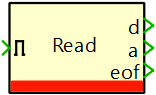
Signal specification
- The enable input signal initiates the MAT-file reading procedure. Setting this input to 0 resets the block to its initial conditions.
- The data output signal
dreturns a vector containing the data read from the MAT-file. The vector length can be configured with the Number of signals parameter, and its data type using the Signal type parameter. - The activate output signal
ais set to 1 when the block is outputting data. - The end-of-file output flag
eofis set to 1 when the end of the file is reached.
Mask
C++ functions
File management
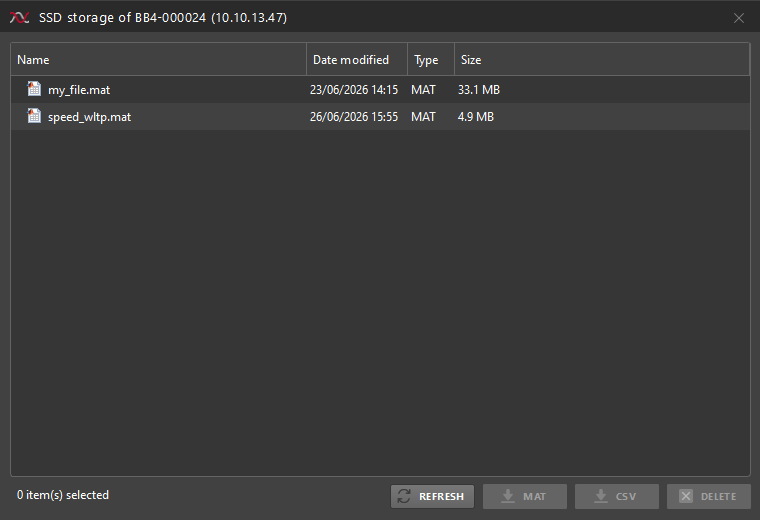
The target’s internal storage unit is accessible via the Target Configuration view in Cockpit, providing the following file management capabilities:
- File listing: View all files currently residing on the target device.
- Exporting: Download and convert target files into CSV or MAT-file formats.
- Deletion: Permanently remove files from the device’s storage.
- Gen. 4 reserves 10 GB and Gen. 3 reserves 0.8 GB for internal system use (e.g., filesystem). ↩︎
 By Julien Orsinger • March 29, 2021 • PN152
 By Rafael Basso • September 14, 2026 • SD040