
Table of Contents
This note provides practical guidelines and code snippets for programming imperix controllers with the CPP SDK. It follows up on the getting started guide and provides specific details and guidance about how to efficiently implement commonly used functions, such as control strategies, state machines, background tasks, communication interfaces, etc. To this end, the article uses a three-phase PV inverter as an example, which conveniently regroups and illustrates these concepts.
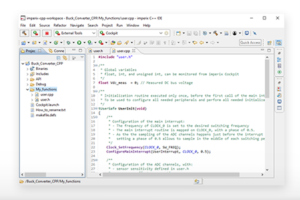
When developing control software for imperix controllers, users should typically start by referring to the software documentation and/or the header files. However, to quickly bridge the gap between the template and a working system, it is also possible to draw inspiration from existing examples. With this mindset, this page dissects the user.cpp file from the AN006. The corresponding C++ project is provided below.
Control algorithms
To support the development of control algorithms, the CPP SDK includes a dedicated API folder with pre-validated functions specific to power electronics, such as PI controllers, PLLs, and coordinate transformations. Developers are encouraged to use these standard functions, which they can also modify as needed.
The next two paragraphs showcase how to use a few of these functions.
State machines
Power converter control often requires managing different operating states, such as standby, precharging, operating, discharging, fault, etc. State machines are powerful tools for safely managing transitions between these states. They can be implemented in many ways. The following snippet provides a practical example of the PV inverter’s operating states.
Programmatic enabling/disabling of PWM outputs
After implementing a state machine, developers may want to automate enabling/disabling the PWM outputs. This relates to the different operating states of the core state machine, as described in PN261.
While this action is usually performed manually via the dedicated Cockpit button (see the related documentation), it is also possible to do it programmatically using the CoreStart() and CoreStop() functions. When combined with state machine logic, these functions enable fully automated operation.
System logging and diagnostics
User log messages help track state machine transitions or report converter faults. These messages can be elaborated and displayed in Cockpit using the Log_AddMsg and Log_SendMsg functions. However, since simply placing Log_SendMsg within the main interrupt may continuously spam the Cockpit log messages, developers must implement trigger conditions instead. The following code demonstrates a possible approach.
Multi-rate control
Multitasking lets portions of the control algorithm run at a slower rate without violating real-time constraints on the main interrupt task. Two methods are available:
- Background loop: Best suited for slower, non-critical tasks, such as thermal monitoring or background communication.
- Software interrupts: Ideal for periodic tasks running at a lower rate than the main control loop. By leveraging preemption, higher-priority sub-rate tasks can interrupt lower-priority ones, enabling the system to support multiple task rates concurrently.
The general principles of multi-rate control on imperix controllers are presented in PN265.
Background tasks
The CPP SDK provides a background callback routine, typically implemented as UserBackground(), which executes during the CPU’s idle time. A typical use case for this approach is the implementation of background CAN communication, which involves processing incoming and outgoing CAN frames using the Can_Receive() and Can_Transmit() functions (documented in the CAN in and CAN out pages, respectively).
Software interrupts
Starting with SDK 2026.2, the CPP SDK introduced native support for software interrupts, providing a more robust alternative to using the background callback routine to execute sub-rate tasks.
For each task that must be executed at a lower rate, the user can assign a callback routine to a software interrupt ID (0 through 7) using ConfigureSoftwareInterrupt(). Then the software interrupt callback is immediately executed when TriggerSoftwareInterrupt() is called. This approach offers several advantages:
- The software interrupts support preemption. Higher-priority tasks can preempt slower, lower-priority ones. (Lower IDs have a higher priority. The main interrupt has a higher priority than the soft interrupts)
- The software interrupt mechanism detects overruns. It raises an error if a software interrupt is triggered again before the task completes.
In the example below, the sub-rate task is managed using a software timer inside the main control interrupt. However, instead of setting a global flag that is continuously polled during the CPU’s idle time, the software interrupt is dispatched explicitly by calling TriggerSoftwareInterrupt(). Once triggered, the assigned callback executes right after the main interrupt finishes.
User faults
Imperix controllers implement hardware-level protections that respond to three different fault types:
- Hardware faults, typically occurring when an over-value is detected (e.g. over-current or over-voltage).
- Software faults, typically indicating a loss of real time or a similar exception.
- User faults, voluntarily thrown by the user from the user code.
The third type – user faults – is discussed below. The others are further documented in PN263.
To declare a user fault, SetUserFault(const char* user_txt) may be called at any time. When triggered, this immediately disables all PWM outputs and displays the corresponding message in the Cockpit logs.
    if(V_meas > V_max){
        SetUserFault("Maximum voltage exceeded");
}As an alternative, it is also possible to trigger a user fault by returning the state UNSAFE state at the end of the user interrupt. Returning SAFE implies that no errors happened during execution. Note that returning UNSAFE will generate a generic fault. It is then recommended to use the SetUserFault(const char* user_txt) method to display an informative fault message.
Further readings
- Programming and operating imperix controllers about deploying code onto imperix controllers.
- Cockpit user guide regarding how to work with Cockpit.
 By Jessy Ançay • June 25, 2026 • PN148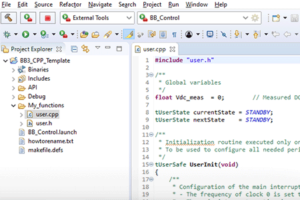
 By Benoît Steinmann • March 26, 2021 • PN146
 By Nicolas Cherix • July 7, 2026 • PN261