Xilinx Vitis HLS introduction
 PN164
PN164Xilinx Vitis HLS (formerly Xilinx Vivado HLS) is a High-Level Synthesis (HLS) tool developed by Xilinx and available at no cost. Vitis HLS allows the…

These notes are specifically related to imperix products. They address both control or power hardware, as well as software solutions. Their aim is to document what users should understand to properly use imperix products. Product notes, therefore, provide complementary information with respect notably to product datasheets.

Xilinx Vitis HLS (formerly Xilinx Vivado HLS) is a High-Level Synthesis (HLS) tool developed by Xilinx and available at no cost. Vitis HLS allows the…
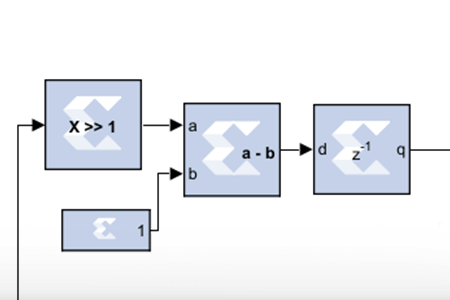
Xilinx System Generator for DSP (SysGen) is a MATLAB Simulink add-on that enables the development of architecture-level FPGA designs using graphical blocks programming. Users can…
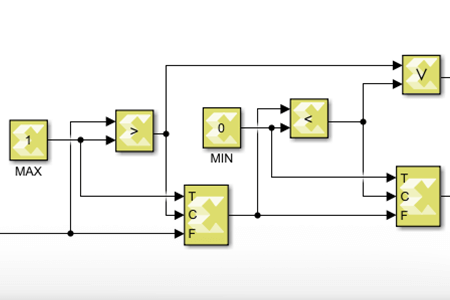
Model Composer is a Simulink add-on software developed by Xilinx. It is a high-level synthesis (HLS) tool that allows the user to program an FPGA-based…
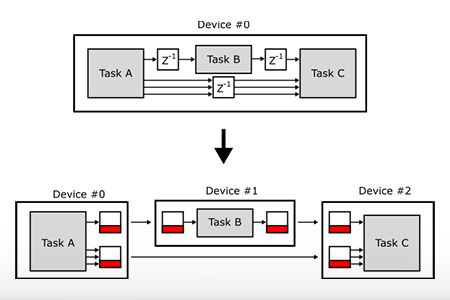
This note focuses on the multi-master feature which allows executing control codes on multiple imperix power converter controllers interconnected using optical fiber (SFP). The imperix in-house…
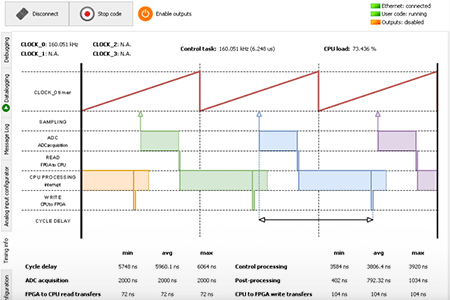
The BB Control Timing info tab provides a graphical representation of the various computation and communication delays involved in the B-Board PRO and B-Box RCP…
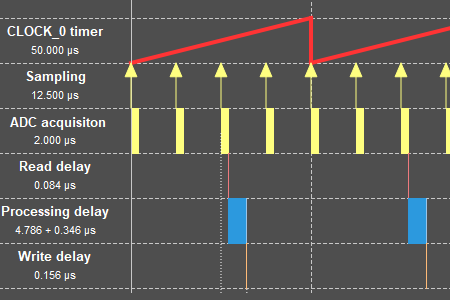
In a standard configuration, the control algorithm executes immediately following each sampling event. The SCLK multiplier modifies this behavior by allowing multiple sampling events to…
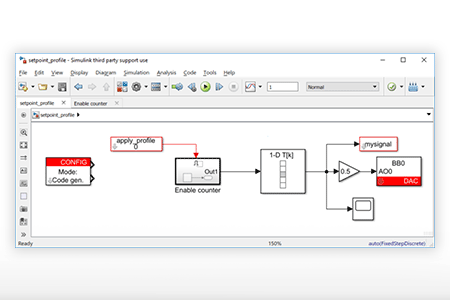
This note presents a possible approach to apply pre-recorded profiles as setpoints for a control algorithm developed on Simulink with ACG SDK. It assumes the…
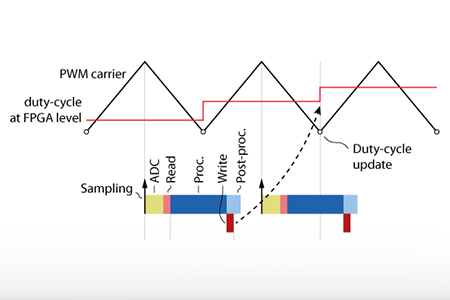
This note explains how to compute the discrete control delay of a control algorithm running on an imperix controller, and how to account for it…
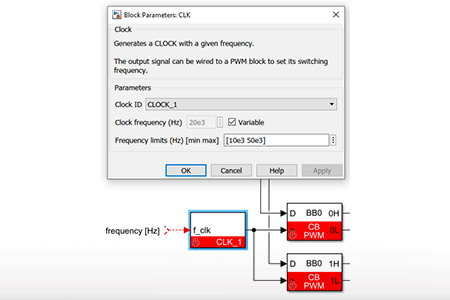
This note specifically addresses the configuration and implementation of variable frequency modulation with imperix controllers. More general guidance on configuring basic sampling and modulation timings…
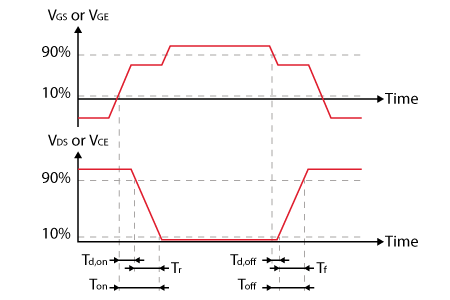
Dead time is a brief non-conduction interval imposed across two complementary PWM signals to prevent a potentially damaging shoot-through inside the corresponding switching cell. Dead…
End of content
End of content

