Dead time selection for imperix power modules
Dead time is a brief non-conduction interval imposed across two complementary PWM signals to prevent a potentially damaging shoot-through inside the corresponding switching cell. Dead…
These notes are specifically related to imperix products. They address both control or power hardware, as well as software solutions. Their aim is to document what users should understand to properly use imperix products. Product notes, therefore, provide complementary information with respect notably to product datasheets.
Dead time is a brief non-conduction interval imposed across two complementary PWM signals to prevent a potentially damaging shoot-through inside the corresponding switching cell. Dead…
The B-Box RCP 3possesses 16 analog inputs with strictly identical channels. The equivalent schematic of the complete data acquisition chain is depicted below. Each channel…
This document provides instructions on how to interface an incremental encoder with a B-Box RCP or a B-Board PRO and how to read the motor…
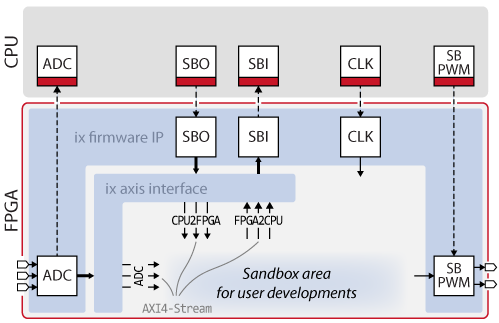
This page documents the imperix firmware IP for Xilinx Vivado, which contains the imperix FPGA logic of the imperix controllers, namely the B-Box RCP, the B-Board PRO,…
This note provides step-by-step guidance to create a Xilinx Vivado project, add customized logic, generate a bitstream, and load it into the B-Box/B-Board. The required…
This note describes how to install and get started with the imperix C++ Software Development Kit (SDK). Software installation After registration, the installer of the…
This document provides instructions on how to implement Multi-rate control on PLECS with ACG SDK. It allows running part of the control at a slower…
This note provides instructions for integrating C code into a control algorithm developed using the ACG SDK via S-Functions, which is probably the best way…
This document provides instructions on how to implement Multi-rate control on Simulink with ACG SDK. It allows running part of the control at a slower…
This document provides instructions on how to create a control model with imperix ACG blockset, starting from a blank Simulink model. This removes the need…
End of content
End of content