
Table of Contents
The ADC block (or C++ routines) is used to access data from a given Analog-to-Digital Converter (ADC) channel. It also configures how this data is sampled, filtered, and rescaled before being used inside the application-level user code. Together, these parameters constitute the so-called software part of the ADC channel configuration, as opposed to the hardware part.
The hardware part, on the other hand, also requires configuration, the details of which depend on the controller model. The table below summarizes these differences and provides direct links to the associated user guides. Comparative information about imperix controllers is also given in PN250.
| Param. | B-Box 4 | B-Box 3 RCP | B-Box micro | B-Board 3 PRO |
|---|---|---|---|---|
| Resources | – 24x 20Msps / 16bits – ±10V ADC range | – 16x 500ksps / 16bits – ±10V ADC range | – 8x 2Msps / 16bits – ±5V ADC range | – 8x 2Msps / 16bits – ±5V ADC range |
| HW param. | – Safety limits – Reaction speed – Calibration [Y/N] | – Input impedance – Safety limits – Pre-ADC gain – Low-pass filter | – Safety limits | N/A |
| SW param. | – Low-pass filter – Sampling method – Scaling (gain+offset) | – Sampling method – Scaling (gain+offset) | – Sampling method – Scaling (gain+offset) | – Sampling method – Scaling (gain+offset) |
| Doc. link | AI/AO config. | AI config. | AI config. | N/A (HW-dependent) |
Principles of operation
All analog inputs of all imperix controllers always operate with simultaneous sampling. At the hardware level, sampling is driven by SCLK, which is a simple derivative of CLK0, only differing by the SAMPLING_PHASE. The corresponding configuration is set in the CONFIG block, or using the equivalent C++ routines. By properly choosing the configuration of these clocks relative to the modulation, different sampling scenarios can be implemented, which are further detailed in PN259:
- Single-rate sampling, in which case the control task is executed once per PWM period. This is the default configuration used in most examples.
- Double-rate sampling, in which the control task is executed twice per PWM period, requiring ADC sampling to occur twice as fast as the modulation. This case gives best performance, provided that sufficient CPU time is available.
- Advanced sampling configurations are also possible, typically enabling the retrieval of multiple samples at once (data history), variable-frequency switching, or the execution of FPGA-based control tasks at a higher rate than the CPU.
Frequency and phase aside, all other ADC parameters are individual, channel-specific settings that can be configured independently within each block.
Users interested in learning more about the firmware architecture of imperix controllers are invited to consult PN253. Explanations about the sequencing of the acquisition, CPU-based control execution, and PWM operation are also provided in PN261.
Block parameters
Addressing
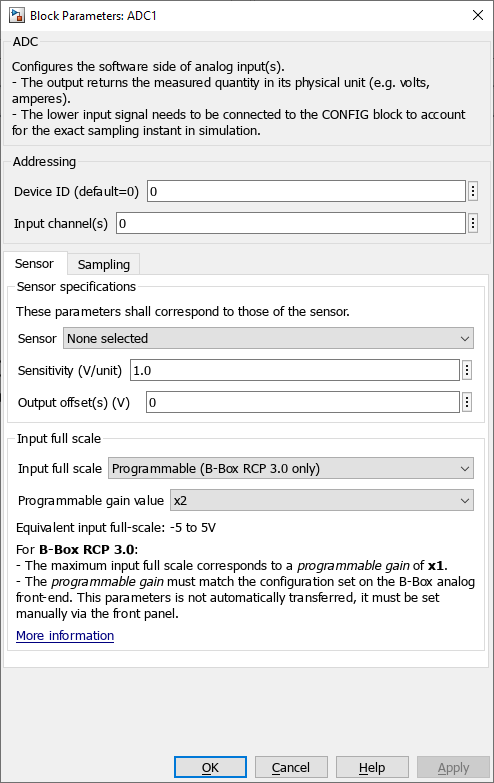
- Device ID selects the device to address in a multi-device configuration.
- Input channel(s) (vectorizable) selects which physical input channel to read from.
Sensor specifications
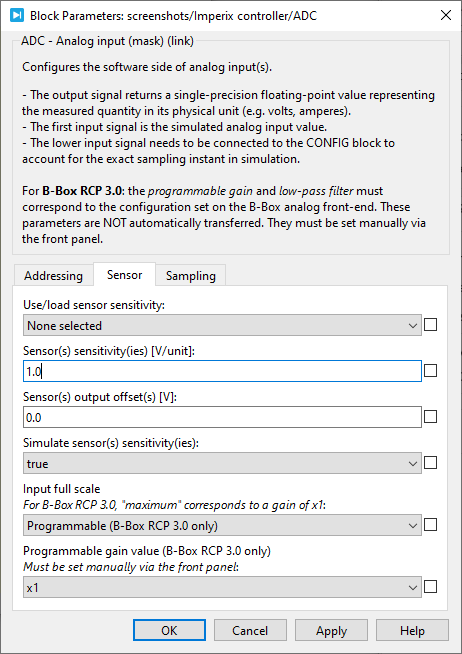
- The Sensor provides a list of imperix sensors. Selecting a sensor automatically populates the sensitivity parameter. When None is selected, the user must manually enter the sensitivity.
- Sensitivity (vectorizable) is the sensor sensitivity in Volts per measured unit (e.g. V/V for a voltage sensor and V/A for a current sensor).
- Output offset(s) (vectorizable) compensates for the sensor offset. It is expressed in Volts at the sensor’s output.
Input full scale
- The Input full scale parameter can be set to
- Maximum (device dependent)
- Programmable (B-Box RCP 3.0 only)
- The Programmable gain value can be set to 1x, 2x, 4x, or 8x and must match the B-Box 3’s front panel.
Sampling
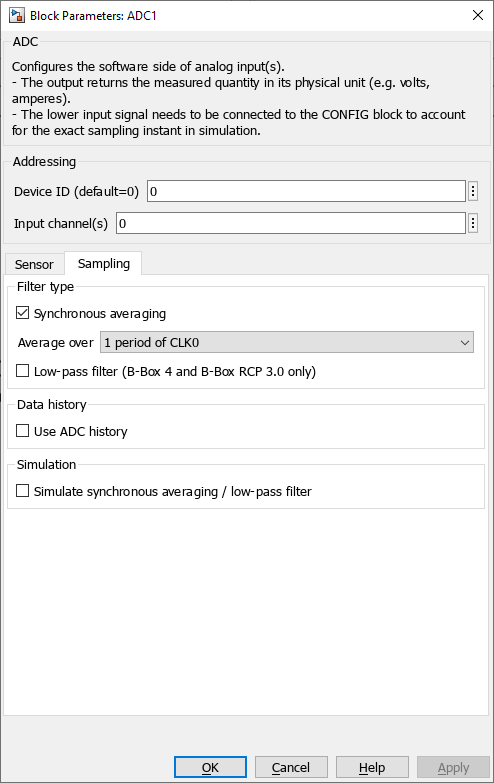
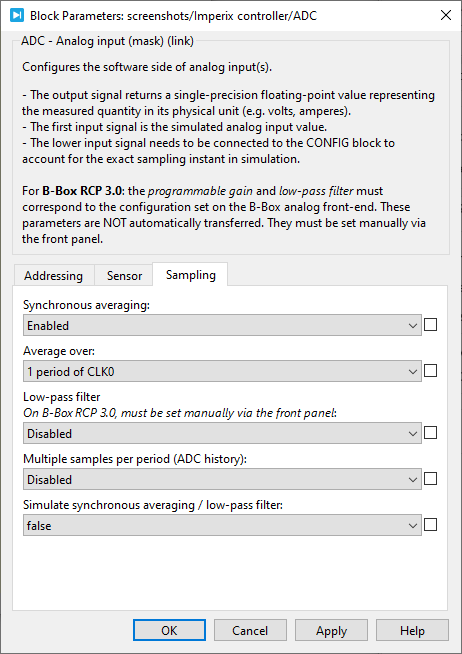
- Synchronous averaging computes the average of multiple samples over a specific and synchronous time interval. The interval can be configured to either 1 or 2 CLK0 periods. This technique very effectively rejects high-frequency artifacts and is therefore enabled by default.
- A Low-pass filter is available in B-Box 3 and 4, providing a more aggressive attenuation in the high-frequency range. The chosen filter cut-off frequency may, however, introduce a non-negligible group delay, which should be accounted for in the control algorithm (and, ideally, the selection of the sampling phase).
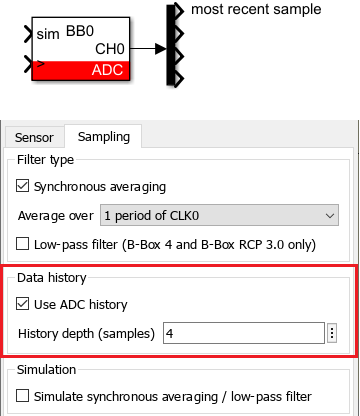
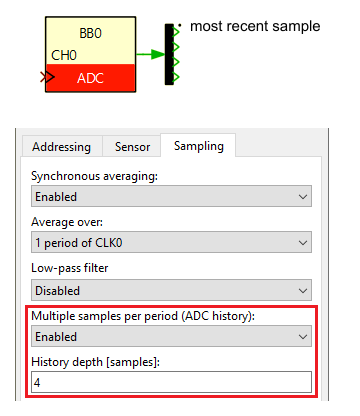
For the B-Box 3, the low-pass filter must be configured via the front panel, as explained in PN105. - Data history configures the block to output a vector of the N most recent ADC samples, which can be useful when the sampling frequency FSCLK is larger than the CPU task frequency FCPU. The maximum history depth is 64 samples.
- Simulating synchronous averaging/low-pass filtering yields more accurate results but increases simulation time.
Simulink block
Signal specification
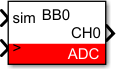
- The output signal returns a single-precision floating-point value representing the measured quantity in its physical unit (e.g. Volts, Amperes).
- The
siminput signal is used in simulation and documented in PN135. - The
>The input signal needs to be connected to the CONFIG block to ensure the exact sampling instant is accounted for in the simulation.
Mask
PLECS block
Signal specification
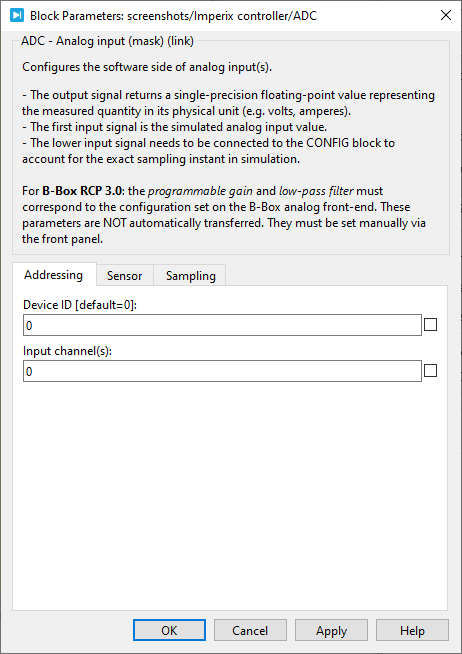
- The output signal returns a single-precision floating-point value representing the measured quantity in its physical unit (e.g. Volts, Amperes).
- The target inport (only visible at the atomic subsystem level) is used in simulation and documented in PN137.
- The
>input signal needs to be connected to the CONFIG block to account for the exact sampling instant in simulation.

Mask
C++ functions
ConfigureMainInterrupt function as explained in the related note: Interrupt configuration.Standard functions
Advanced functions
Legacy functions
ADC history
By default, the ADC driver only provides the most recently sampled value. However, it is still possible to retrieve all ADC samples within the CPU using the ADC history feature, as illustrated below. This feature allows retrieving the N most recent samples (up to a maximum of 64).
CPP SDK users can implement this using the Adc_ConfigureHistory and Adc_GetHistory functions, as illustrated in the code snippet below:
tUserSafe UserInit(void) {

  // Sets CLK0 at 50 kHz
  Clock_SetFrequency(CLOCK_0, 50e3);

  // Sets a CPU postscaler of 4
  ConfigureMainInterrupt(UserInterrupt, CLOCK_0, 0.5, 4)

  // Setup a history of 4 samples for ADC0
  Adc_ConfigureHistory(ADC0, 4);

  // some other code...

  return SAFE
}

tUserSafe UserInit(void) {

  float s0, s1, s2, s3;

  s0 = Adc_GeCode language: C++ (cpp)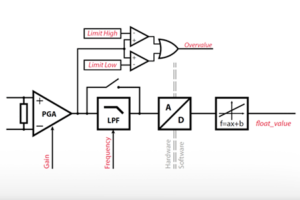
 By Nicolas Cherix • March 29, 2021 • PN105
 By Stéphane Lovejoy • April 2, 2021 • SD001
 By Julien Orsinger • March 23, 2021 • PN135